
A run as the Scrum Master, from the inside
By Scrumagic Team Last reviewed 5 min read
In short
The Scrum Master is the role that sits at every table. In Scrumagic you facilitate each ceremony, clear impediments, shield the sprint and make most of the recorded decisions, while five AI teammates push back in character. This post follows a run from the Scrum Master's chair, phase by phase, without giving away the answers.
Most descriptions of the Scrum Master role are lists of verbs. Facilitate, coach, remove, protect. They are accurate and they do not tell you what it is like to sit in the chair when a developer says a task is "nearly done" for the third day running. Playing the role in Scrumagic is the nearest thing to finding out without a real team.
The only role at every table
The simulation has the same eighteen steps whichever role you choose, and the Scrum Master is the one who is in the room for all of them. The Product Owner watches some steps and the developers sit out the earliest. The Scrum Master facilitates all of it, which is why the role gives the broadest view of the framework. Choosing your role compares the three.
You are not the boss of anyone. The Guide's description of the role is that of a leader who serves, and the simulation keeps to it: you cannot assign tasks or set the scope. What you can do is run the event, ask the question, record the decision and clear the obstacle. Our post on the Scrum Master role describes what the role is accountable for, and this one shows what that looks like in play.
Phase 1: helping a team get started
You were engaged when the project was approved, so you begin in the middle of a story. In the first phase you help the sponsor and the Product Owner turn an idea into a charter, confirm who holds each role and who signs off what, help form the team and run the workshops that turn the vision into epics. You also rank the backlog with the team and choose the sprint length when you plan the release.
Several of these are decisions that only look administrative. Confirming the sign-off matrix, for example, decides who can overrule whom later. Choosing the sprint length sets how much the team can take on, and you feel it for the rest of the run.
Phase 2: running the planning
This is where the facilitation gets concrete. The team turns the top of the backlog into a sprint it can honestly commit to, and you run each session. You check the drafted user stories, and some of them hide defects you are expected to catch. You facilitate planning poker, record the team's consensus and commit the sprint against its capacity. And you make sure the tasks, their dependencies and the hour estimates add up before the team freezes the baseline.
Two points are worth knowing in advance. The developers estimate and you do not, so your job is to get an honest number out of the room, not to produce one. And the commitment is a decision with consequences, which capacity and commitment explains in the general case.
Phase 3: keeping the sprint steady
The sprint is under way, and the work becomes responsive. You check the board on a representative day and deal with the impediments, risks and change requests that surface. You run the daily standup: each developer reports what is done, what is next and what blocks them, and you decide how to respond to a blocker.
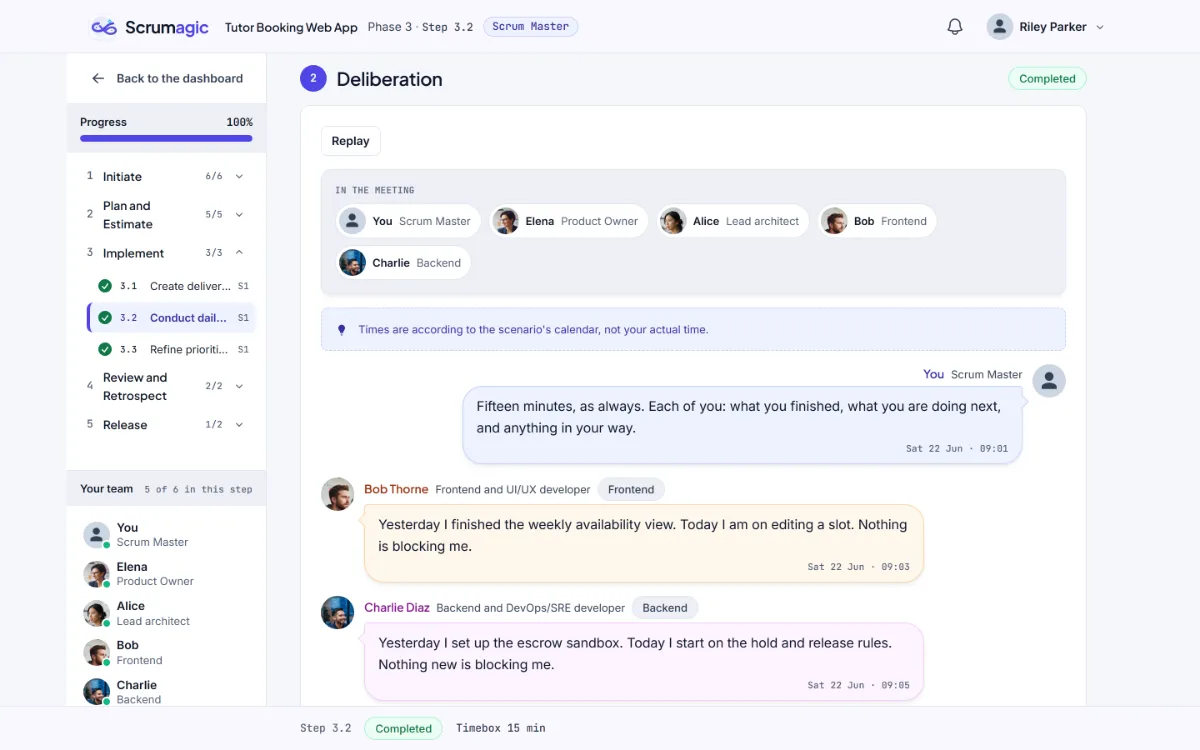
Small situations carry the learning. A blocker reported in one line deserves an owner and a date. A tangent that starts to take over the meeting is yours to handle, and how you handle it is recorded. The log of what you dealt with is kept as you go.
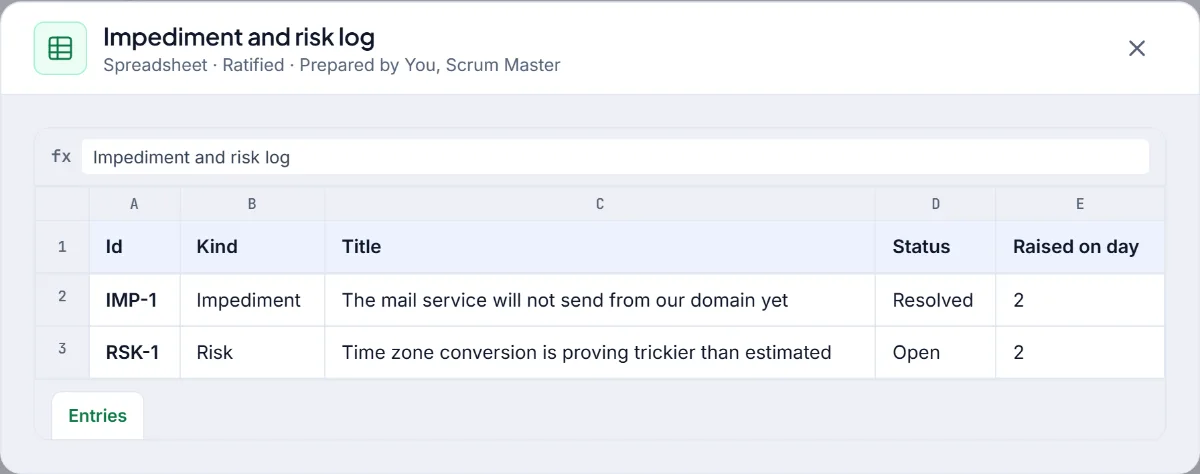
Impediments and the impediment log covers the practice, and change requests in the middle of a Sprint covers the request that arrives halfway through.
Phase 4: the review and the retrospective
The sprint ends with a demonstration and a look back. At the review, the developers show the increment to the sponsor and the Product Owner accepts or rejects each story against the Definition of Done. You are in the room, and your part is to keep the conversation about what is true. Then you facilitate the Start, Stop and Continue retrospective and commit the team to its top improvements.
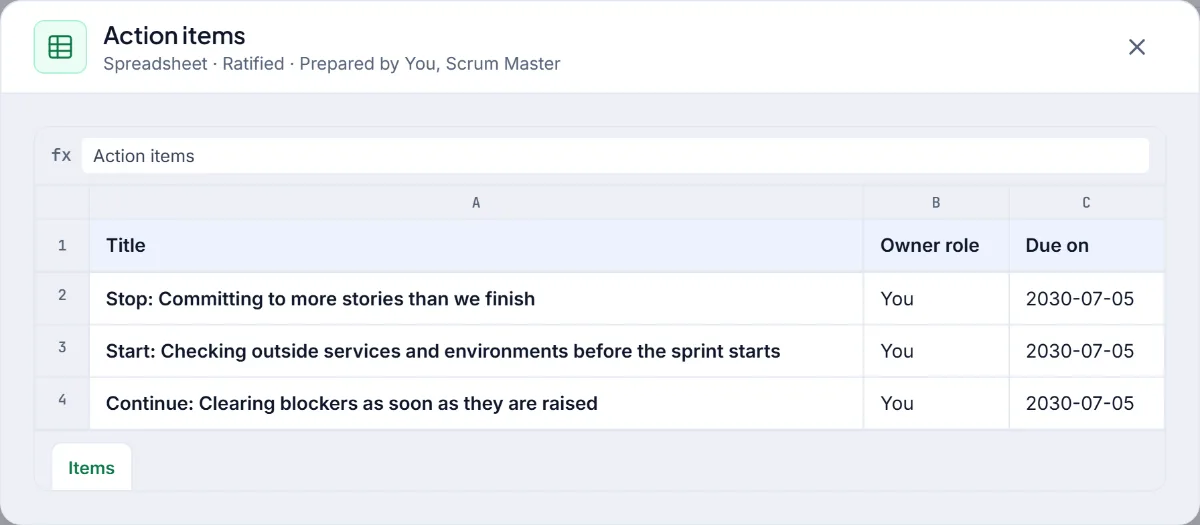
Notice the shape of the outputs. Improvements have owners and dates, which is the habit retrospective actions that actually happen argues for. After the retrospective you decide whether to plan another sprint or move to the release.
Phase 5: closing the project
At the cutover, the Product Owner authorises the release and the sponsor accepts the deliverables, and you are there for it. You lead the project retrospective on the value delivered, the return on investment and the technical lessons, then close the project. A scorecard follows, built from the decisions you recorded, with a view of how you facilitated. It is a scorecard and not a certificate.
What it teaches that reading does not
- Facilitation under disagreement. Teammates have their own temperaments and push back in character. You find out what you do when two of them are right.
- Responding the day a problem appears. The simulation notices whether you act on small blockers when they appear, and later steps remember it.
- Holding a line gently. A sponsor will ask for more. Taking the request to the Product Owner and keeping the sprint as committed is a skill you can only practise in front of someone.
- Seeing the whole. Because you attend everything, you see how an early decision in Phase 1 changes a Phase 3 conversation.
Who should start here
The Scrum Master is the default, and it is the role we would suggest to a newcomer, or to someone preparing to facilitate a real team for the first time. If you want situations to rehearse beside the simulator, see Scrum Master practice. If you are comparing the role with project management, Scrum Master vs project manager draws the line. It is a good first run for any scenario, and Tutor Booking is the usual place to start.
Everything described is fictional. The team, the sponsor and the project are invented for practice.
Nothing opened? This computer may have no email program set up. Write it in Gmail or use the copy button and paste the link into your email.