
A run as a Developer, from the inside
By Scrumagic Team Last reviewed 5 min read
In short
The Developer is where Scrum asks for honest estimates and real commitments. In Scrumagic you cast your own planning poker vote, break stories into tasks, report at the standup and demonstrate the increment, with a team that behaves like a real one. This post follows a run from the developer's chair, phase by phase, with no spoilers.
Many developers meet Scrum as a calendar: planning on Monday, standup every morning, review and retrospective on Friday. It is possible to work for years without being told what any of those meetings is for. Playing a Developer in Scrumagic is a way to find out, by doing the part that Scrum assigns to the people who build the thing.
Where you sit
When you choose the Developer role, you take a developer place on the six-person team, and AI teammates play the Scrum Master, the Product Owner and the other developers. The Sponsor and the Product Owner shape the vision and confirm the roles before you join, so you come in when the team is formed. You are at the table for most of what follows, and the few steps that happen before you arrive are marked.
The role follows the Scrum Guide's description. You and the other developers are accountable for the plan, the quality bar, the daily adjustment and each other. Our post on Developers on a Scrum team describes that accountability, and the simulation lets you live it. Choosing your role compares it with the other two.
Phase 1: joining a team and shaping the backlog
You join the team formation and agree how the team will work together. You take part in the workshop that turns the vision into epics and help rank the backlog by value and risk. You help agree the Definition of Done, then plan the release with the team.
This is where a developer's voice matters earlier than most people expect. The Definition of Done decides what you will later be held to, and the risk column in the ranking is where your knowledge of what is hard counts.
Phase 2: the developers' phase
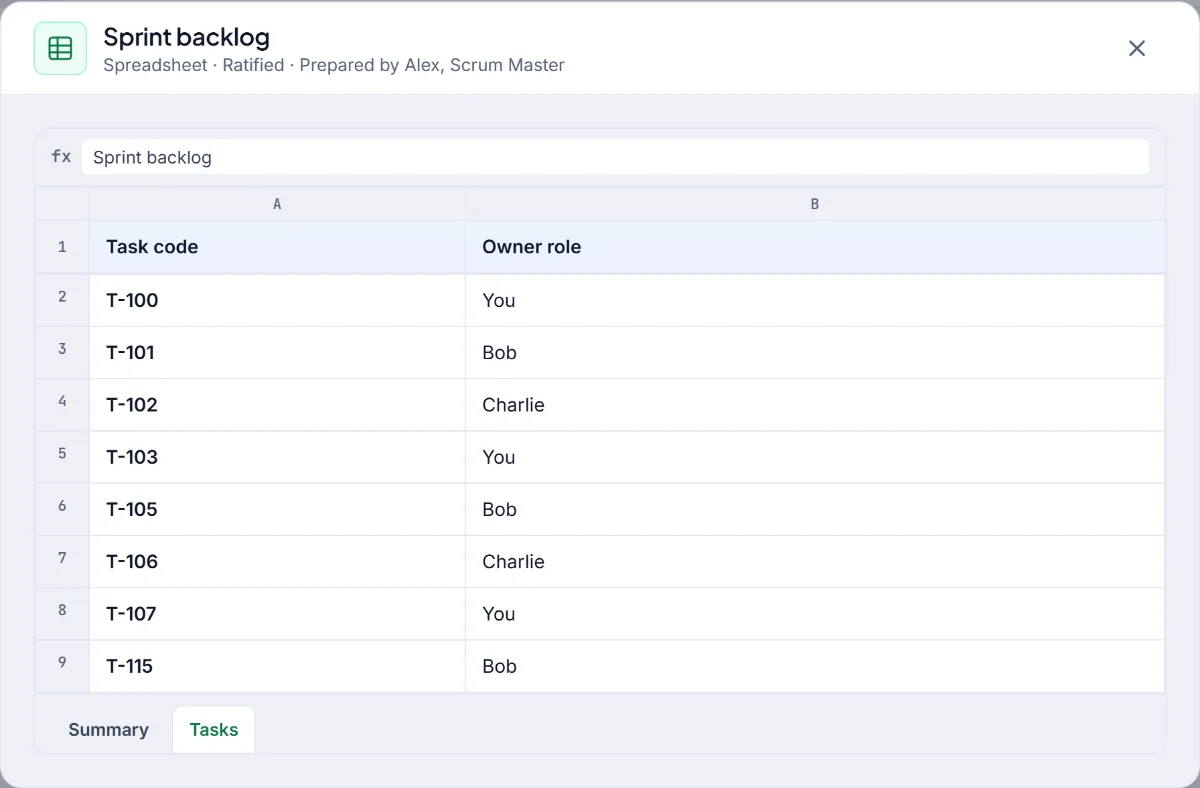
This is the phase that belongs to you. The team turns the top of the backlog into a sprint it can honestly commit to. You check the drafted user stories with the team. You cast your own planning poker vote, hear the others, revise and reach consensus, then commit the sprint against the team's capacity. Then you break the committed stories into tasks, map what depends on what and estimate each task in hours, and you claim your tasks and freeze the sprint baseline.
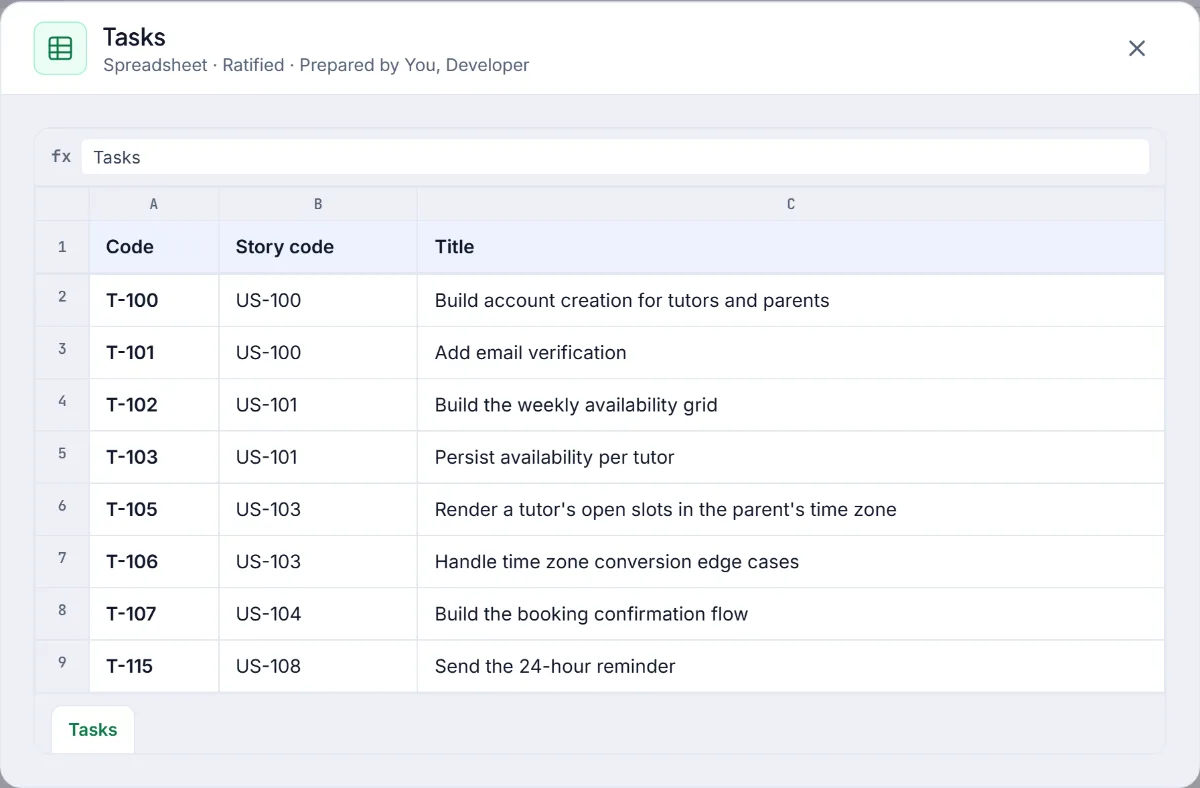
Two things are different from reading about it. You have to pick a number before you hear anyone else's, and you have to defend it when it differs. Our post on story points and planning poker explains the technique, and from stories to tasks covers the breakdown. Once the baseline is frozen, the scope of the sprint cannot change, which is a surprisingly calm place to be.
Phase 3: the sprint
The sprint is under way and you see what keeps it on track. You work through the board on a representative day, where impediments, risks and change requests surface. You take your place at the daily standup, where each developer reports what is done, what is next and what blocks them, and you sit in the refinement session where a mid-sprint change request is triaged for a future sprint.
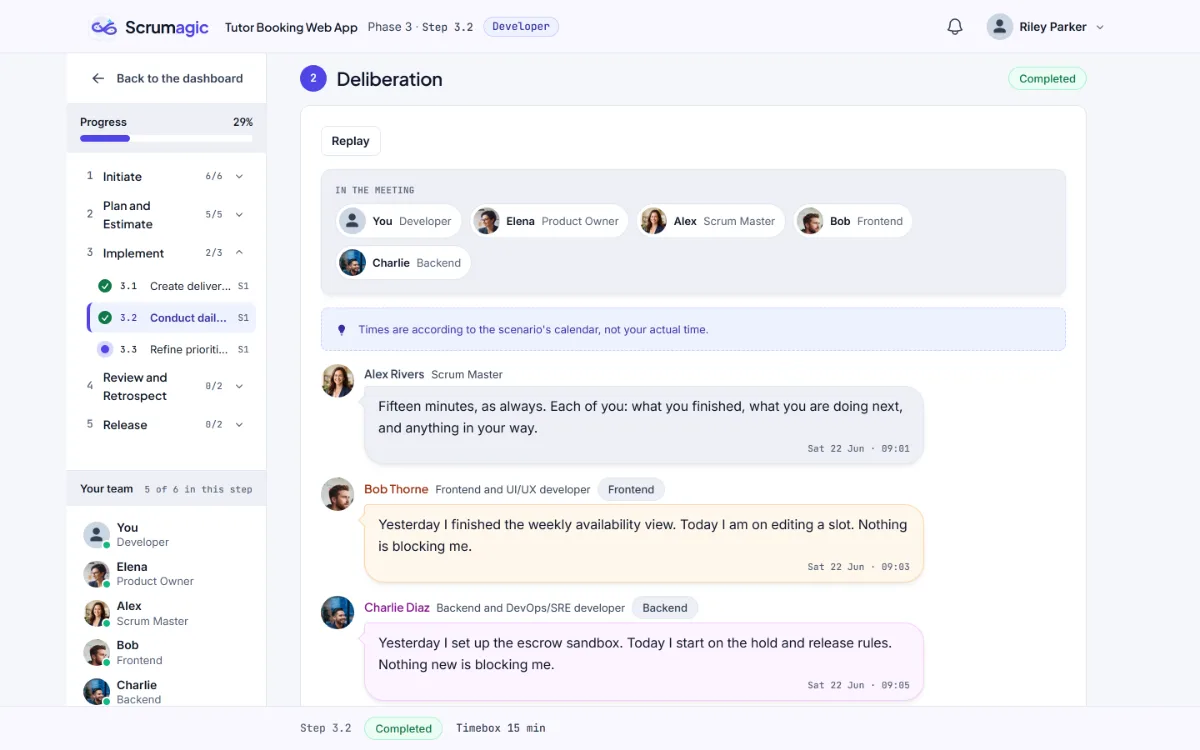
What the standup is for becomes clear when you are one of the people reporting. It is a short, honest account that lets the team adjust, and a blocker named in one line gets removed faster than one hinted at. See Daily Scrum without the status-meeting trap for the principle.
Phase 4: showing the work
The sprint ends with a demonstration and a look back. You demonstrate the increment with the other developers to the sponsor, and watch the Product Owner accept or reject each story against the Definition of Done. Showing only what is really done is harder than it sounds, and the simulation is a safe place to find out. You also take part in the Start, Stop and Continue retrospective and the team's top improvements.
Phase 5: shipping and looking back
At the cutover, the Product Owner authorises the release and the sponsor accepts the deliverables, and you are there for it. Then you look back with the whole team on the value delivered and the technical lessons. A scorecard follows, built from your recorded decisions, with a view of how you did as a developer, including your estimates and the work you confirmed. It is a scorecard and not a certificate.
What you take away
- Why estimating is a team act. A number you have to defend teaches what a point is for.
- What a commitment is. You commit the sprint against real capacity, then see what happens to a sprint that was committed too hard.
- Why the ceremonies exist. Each one changes what the team does next, which is easy to say and easier to see.
- How to speak up early. Risks raised in Phase 1 are cheaper than risks discovered in Phase 3.
Who should play it
It suits any developer, tester, designer or analyst about to join a Scrum team, or one who has been on a team for a while and never been told what the events are for. It also helps a Scrum Master or Product Owner who wants to know what the developers' phase feels like from inside. Logistics API is a natural scenario for it, since the users are other developers.
Everything described is fictional. The team, the sponsor and the project are invented for practice.
Nothing opened? This computer may have no email program set up. Write it in Gmail or use the copy button and paste the link into your email.