
How the AI teammates work, and what they will not do
By Scrumagic Team Last reviewed 5 min read
In short
In Scrumagic the other five members of your team are AI teammates with names, roles, temperaments and a memory of earlier steps. They talk, argue and make the decisions that belong to their roles. They do not run the simulation: the rules, the state and the scoring belong to the software. This post explains what the AI does, what it does not, and what happens when it is unavailable.
An AI teammate is easy to imagine badly. A chatbot that agrees with everything you say would teach you nothing, and one that improvises the rules would make a mess of the lesson. The AI in Scrumagic is built to avoid both. This post says what it does and, as importantly, what it is not allowed to do.
Who the teammates are
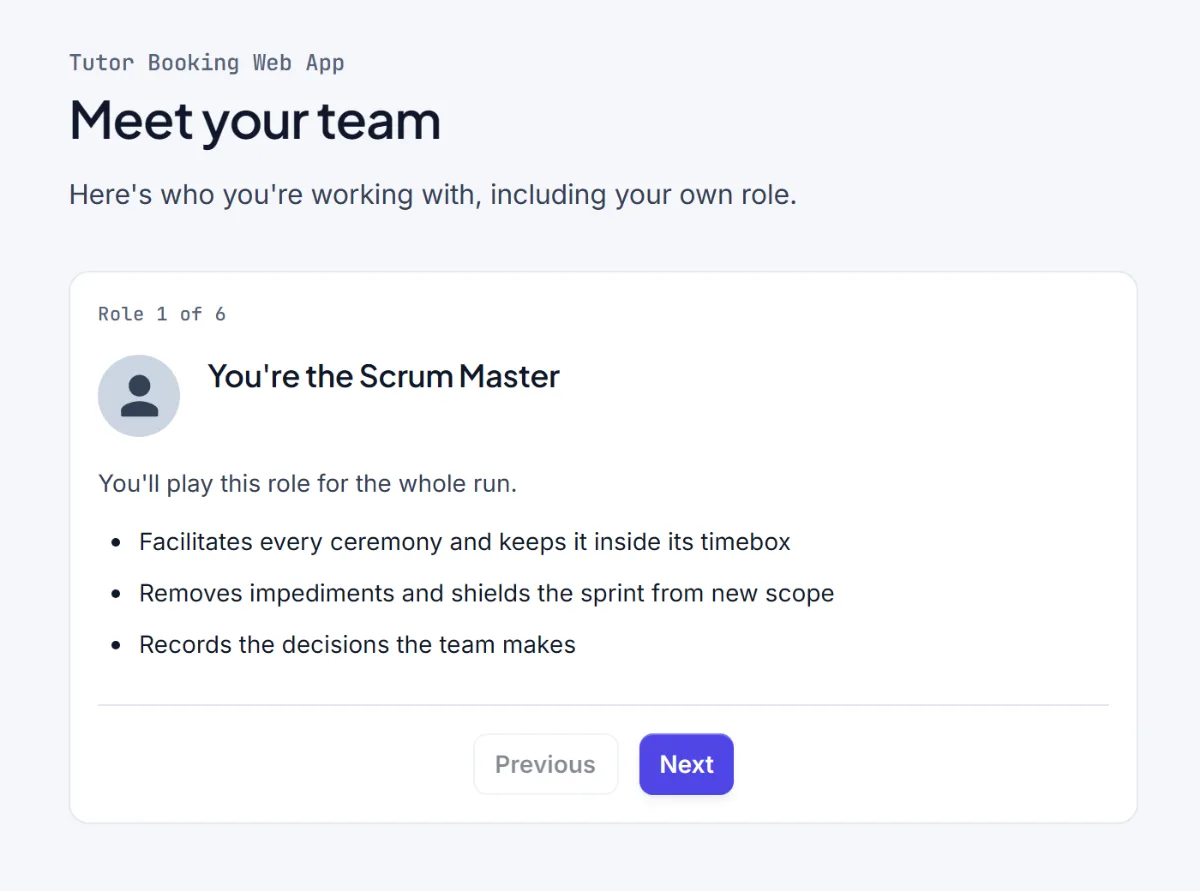
At the start of a run, Scrumagic introduces everyone on the team, your own role first. Each AI teammate has a name, a role, a short background and a working style, and these come from the scenario, so the people in each project are different. The sponsor in one scenario is frightened of missing a holiday window, in another she is worried about an investor, in another he is impatient with risk talk. They are fictional, like everything in the simulation.
Three things stay fixed for the whole run.
- Name and role. A teammate is the same person at step 2.1 and step 5.2.
- Temperament. The architect who will not call anything done without a second reviewer says so again later.
- Memory. They remember what happened in earlier steps, including the decisions you made, and refer to them.
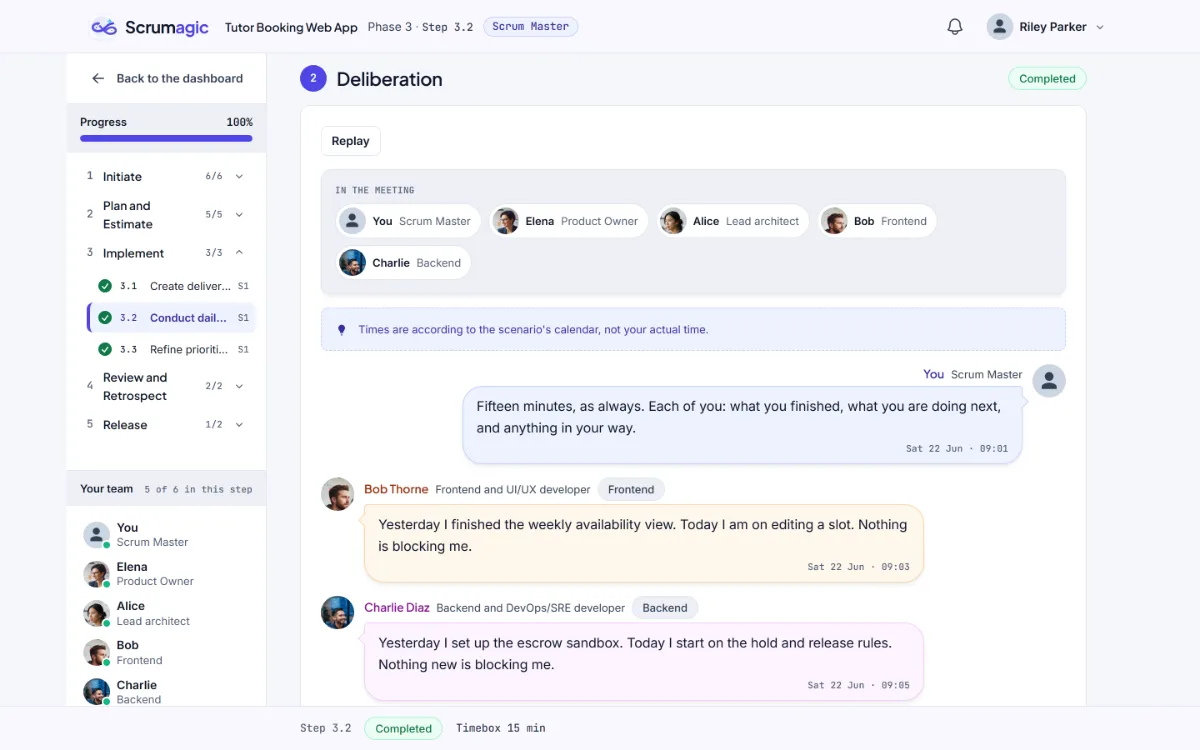
Every message and every document is attributed to the teammate who produced it, never to an anonymous "system", and your own contributions are shown distinctly so you can always see which words are yours.
What they do
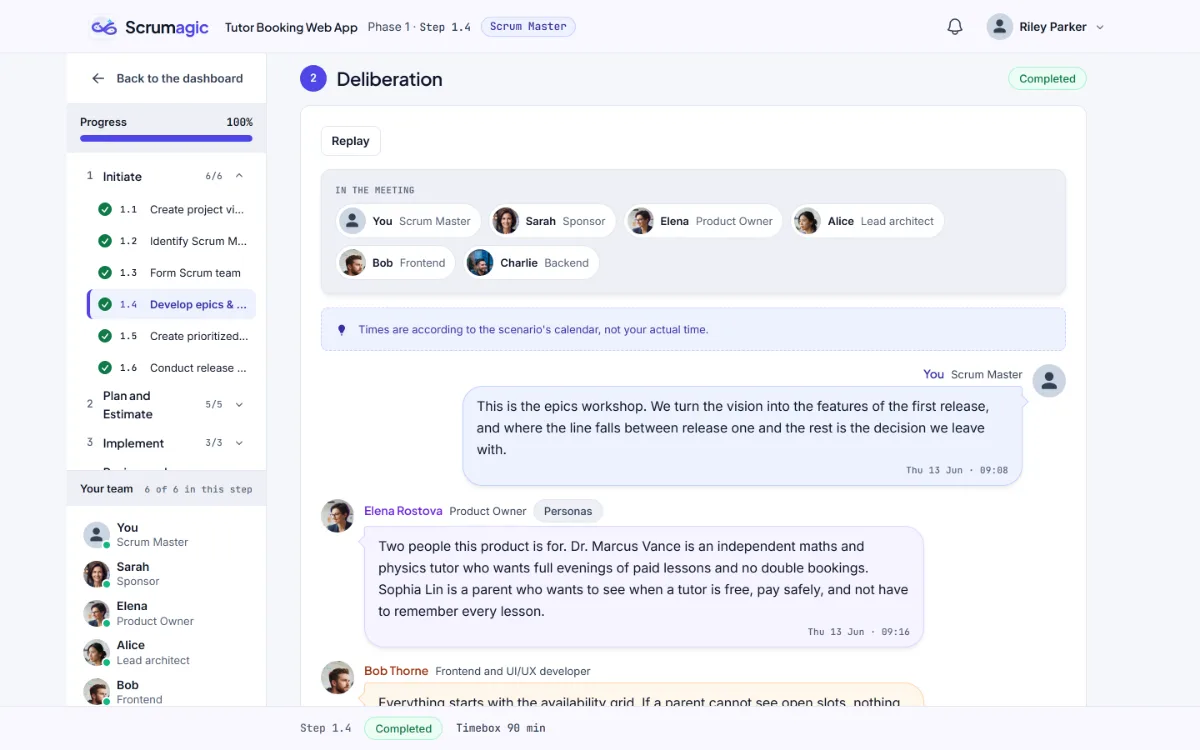
They speak in character. In each ceremony the team talks the work through. Developers raise risks from their own side of the work, the Product Owner argues for the sprint goal and the sponsor pushes for the date. The disagreement between them is part of the material.
They make the decisions that belong to their roles. When you play a Developer, the AI plays the Scrum Master and the Product Owner, and they make their calls with a stated reason shown on the decision. When you play the Scrum Master, the AI takes the Product Owner's decisions. The decision is explained, so you can compare it with what you would have done.
They answer questions. Before a decision, you can ask the team a question in your own words. The answers become part of the evidence, and what you typed is treated as information, never as instructions to the system.
What they will not do
They do not leave their roles. A Product Owner does not estimate the developers' tasks. A developer does not set scope, schedule or budget. The sponsor never attends the daily standup, and the AI sponsor is not run through one. The teammates are held to what the role holds in Scrum.
They do not run the simulation. The AI does not advance the state of the project and does not score you. A decision you make is applied by the software, according to rules that come from the scenario, and the scorecard is computed from what you recorded. The model supplies the conversation and no more. That is why two learners who make the same decisions get the same result, whatever the AI happened to say.
They do not reveal their instructions. Teammates stay in character, and attempts to talk one out of its role do not change the outcome.
They do not guarantee outcomes. A teammate can be wrong, as a real colleague can. Part of the job is deciding how much weight to give what you hear.
When the AI is not available
AI services can fail, and a simulation that stalls when one does would be a poor one. Every ceremony in a scenario has prepared wording. If the AI cannot answer, or a limit has been reached, the team uses the prepared wording and the simulation shows a short notice that it has done so. The run carries on, and the decisions and scoring work exactly the same way, because they never depended on the model.
Reading them well
A few habits make the teammates more useful. Read each one's messages as coming from a person with a point of view, not as a neutral report. Notice when two of them disagree, because the disagreement usually points at the trade-off in the decision. And use the question box: asking the architect what worries them about a story gets a better answer than guessing.
Why it is built this way
Two reasons. The first is trust: a scorecard is only worth reading if it comes from consistent rules, and an AI that scored you would make it different each time. The second is teaching. The point of a teammate is to push back credibly, not to tell you what to do. Keeping the AI to conversation and role-played decisions leaves the judgement with you.
This is also where Scrumagic sits in the wider conversation about Scrum and AI. The simulation uses AI to make practice more realistic, and it does not claim that practising with it makes anyone better at using AI tools. For that question, our post on Scrum in the age of vibe coding is a better place to start. For who the simulator suits, see who Scrumagic is for. The roles the teammates play are described in the Scrum Team, and the way they facilitate and disagree echoes the Scrum Master role.
Everything in the simulation is fictional, including every teammate.
Nothing opened? This computer may have no email program set up. Write it in Gmail or use the copy button and paste the link into your email.