
A run as the Product Owner, from the inside
By Scrumagic Team Last reviewed 5 min read
In short
The Product Owner decides what is built, in what order, and whether finished work is accepted. In Scrumagic you play that role against a sponsor who wants more than the team can build, with AI teammates who challenge your ranking. This post follows a run from the Product Owner's chair, phase by phase, with no spoilers.
The Product Owner has the only decision in the framework that everyone else can see you make. The order of the backlog is public, the Increment is judged at the Sprint Review, and anyone who is disappointed knows exactly whom to ask. Playing the role in Scrumagic gives you that exposure, with the stakes kept fictional.
The decisions that are yours
The simulation keeps to the role's description in the Scrum Guide. You own the vision and the order of the backlog, you accept or reject finished work against the Definition of Done, and you authorise the release. You do not estimate the work or decide how it is built, and the AI teammates do not let you pretend otherwise. The Product Owner role explains the accountability, and this post shows what it feels like.
You are not at every table. Some steps you take part in, and in others you watch the team work, which is a deliberate choice: the Product Owner has to see what the developers do without directing it. Choosing your role compares the three.
Phase 1: shaping a first release small enough to deliver
You shape the vision and the charter with the sponsor and agree who holds each role. Then you join the workshop that turns the vision into epics, and this is where the role stops being theoretical.
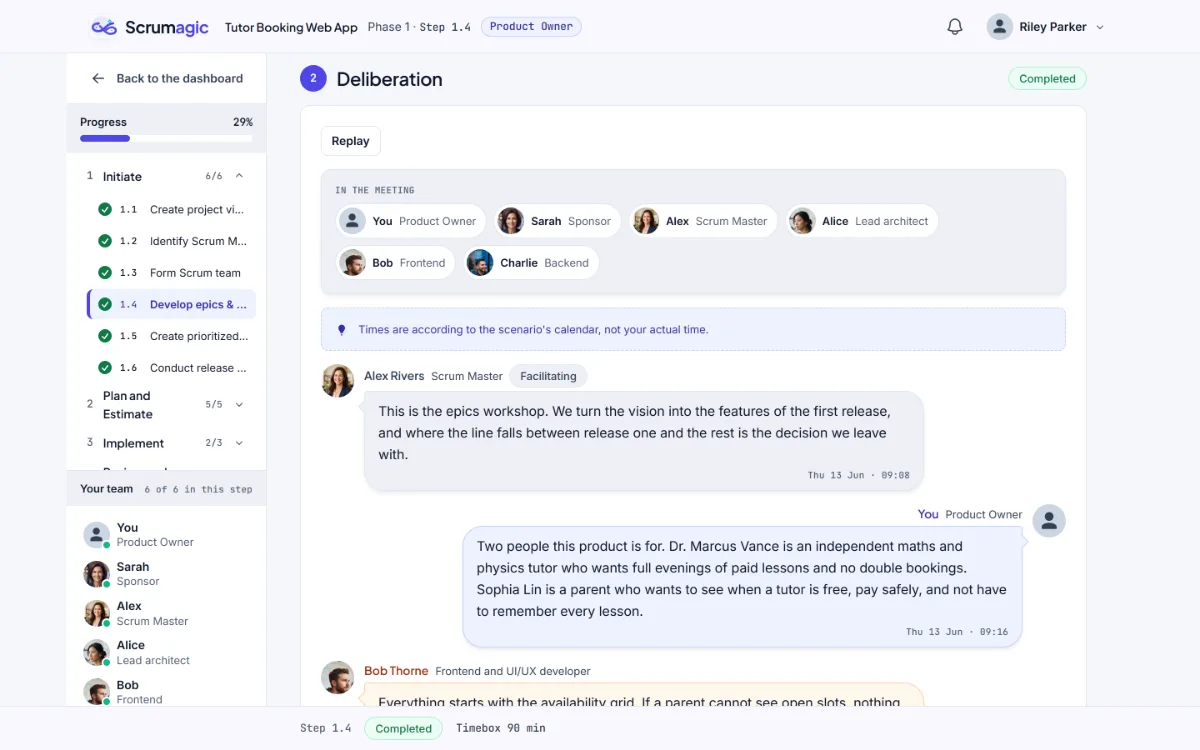
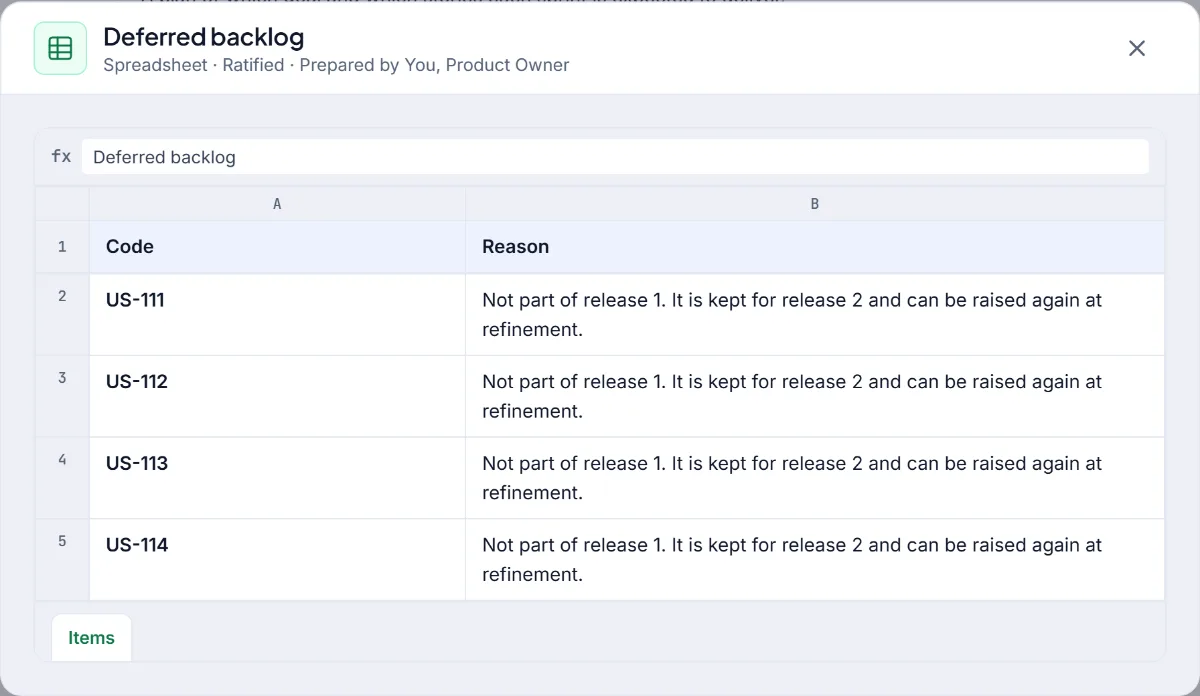
The sponsor pushes for a feature that may not belong in the first release, and you draw the line between what ships now and what waits. That decision is recorded, and it comes back later when someone proposes the feature again. The items that were kept out are written down with a reason, so a later "why did we not do this?" has an answer.
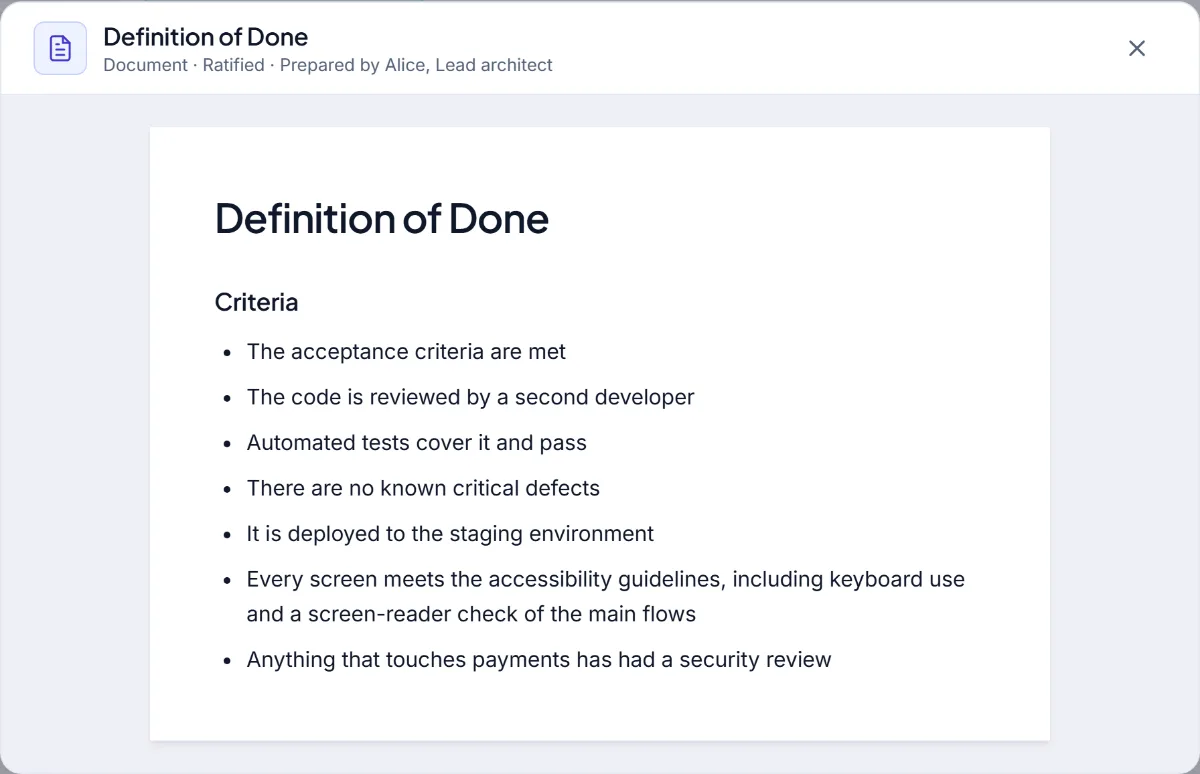
You also rank the backlog by value and risk with the team, and in this role the ranking is yours. The AI teammates challenge it in character, and the exercise teaches you why an ordering does not hold: a high-value item that depends on something unfinished, or a risky item left until the end. Our post on ordering the Product Backlog explains the factors. Then the team agrees the Definition of Done.
You finish the phase by planning the release with the team.
Phase 2: in the room, and then watching
The team turns the top of the backlog into a sprint it can honestly commit to. You take part in drafting the user stories and their acceptance criteria. You are there while the team runs planning poker and commits the sprint. Then you step back and watch the developers break the stories into tasks, estimate them and freeze the sprint baseline.
The step back is a lesson in itself. A Product Owner who answers every task question is doing the developers' work, and one who is unreachable leaves them guessing. Acceptance criteria is the place where your clarity pays off, because a story that is clear at planning needs fewer interruptions later.
Phase 3: the sprint you do not run
During the sprint, the developers are in charge of how the work is done. You follow the board and the daily standup as an observer. Then a change request arrives, and triaging it is your decision: the current sprint stays as committed, and the request waits for a future sprint, or does not. The reasons to say yes, no or later are all on the table, and each one is a choice with a consequence.
Change requests in the middle of a Sprint explains the principle, and this is where you practise it with someone senior watching.
Phase 4: acceptance
The review is your moment. You watch the developers demonstrate the increment to the sponsor, then accept or reject each story against the Definition of Done. Rejecting work is uncomfortable, especially work that looks nearly right. The simulation lets you see what each choice does, including what happens to the work you send back. You also take part in the retrospective and the team's top improvements.
After the review, you and the team decide whether to plan another sprint or move toward the release.
Phase 5: authorising the release
At the cutover you authorise the release while the sponsor accepts the deliverables, and you look back with the whole team on the value delivered and the return on investment. A scorecard follows, built from your recorded decisions, with a view of how you did as Product Owner. It is a scorecard and not a certificate.
What you take away
- Ordering with reasons. You learn to defend a ranking to people who care about a different item.
- Holding a boundary. A sponsor is not an opponent, and the practice is in saying no and keeping them.
- Accepting honestly. Saying a story is not done is easier after you have done it in a safe place.
- Letting the team work. The role is as much about restraint as authority.
Who should play it
It suits anyone who orders a backlog, writes stories or stands between a team and a stakeholder, whatever the job title. It is also a good second run for someone who has already played the Scrum Master and wants to see the same project from the decision-maker's chair. E-commerce Storefront is a natural scenario for it, since it is full of reasonable requests.
Everything described is fictional. The sponsor, the team and the project are invented for practice.
Nothing opened? This computer may have no email program set up. Write it in Gmail or use the copy button and paste the link into your email.