
Phase 2, Plan and Estimate: the five steps, one by one
By Scrumagic Team Last reviewed 5 min read
In short
The second phase of a Scrumagic run turns the top of the backlog into a sprint the team can honestly commit to, and it repeats for every sprint. It has five steps, from checking the stories to freezing the sprint baseline. This post walks through each: what you see, what happens, what you decide and what it produces, with no spoilers.
Phase 1 decided what the project is for. Phase 2 decides what the team does next, and it does so once for every sprint. If Phase 1 is a conversation about direction, Phase 2 is the shortest route from a backlog to a plan that real people can follow on Monday morning.
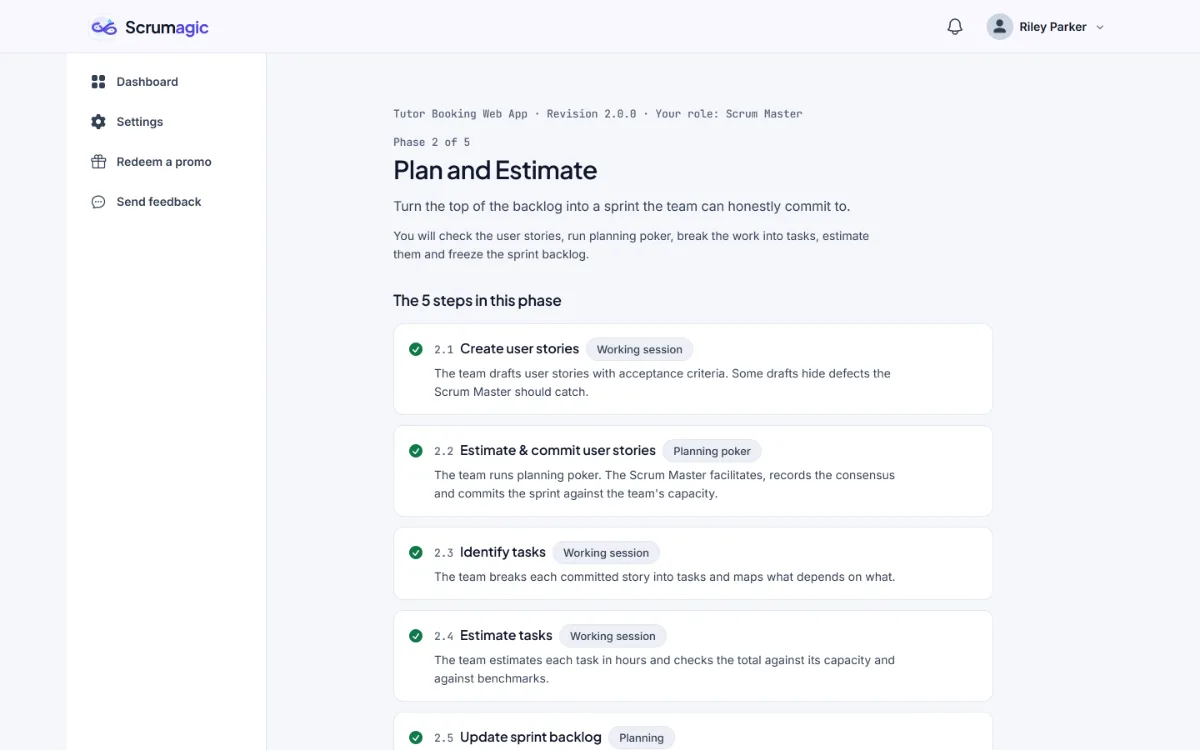
The five steps below repeat at the start of each sprint, so you will meet them several times in a run, with a little more history each time. The matching Scrum event is Sprint Planning, which Sprint Planning: purpose and structure explains in general. Where the SBOK® Guide, Fifth Edition, has a matching process, we name it, and the Scrum Guide and the SBOK side by side shows how the two fit together.
Step 2.1: create user stories
What you see. The prioritised backlog, the Definition of Done and a set of draft user stories taken from the top of the backlog.
What happens. The team drafts user stories with acceptance criteria. Some of the drafts hide defects.
What you decide. Whether the stories are ready for planning, or whether to send them back with a reason. In the Scrum Master role you are the one checking.
What it produces. The stories that go into planning. Our posts on user story anatomy and acceptance criteria explain what a good one looks like.
Step 2.2: estimate and commit user stories
What you see. The stories, the release schedule and the team's velocity, which is how much the team has typically finished in a sprint and caps what it can commit to.
What happens. The team runs planning poker. The Scrum Master facilitates, records the consensus and commits the sprint against the team's capacity. In the Developer role you cast your own vote.
What you decide. How much you commit the team to this sprint.
What it produces. Committed stories, a sprint goal and a velocity check. In the SBOK these correspond to two processes, Estimate User Stories and Commit User Stories, which Scrumagic runs as one step, because the conversation is one conversation. See story points and planning poker and capacity and commitment.
Step 2.3: identify tasks
What happens. The team breaks each committed story into tasks and maps what depends on what.
What you decide. Whether you confirm the tasks and their dependencies or ask for the breakdown to be reworked.
What it produces. A task list and a dependency graph.
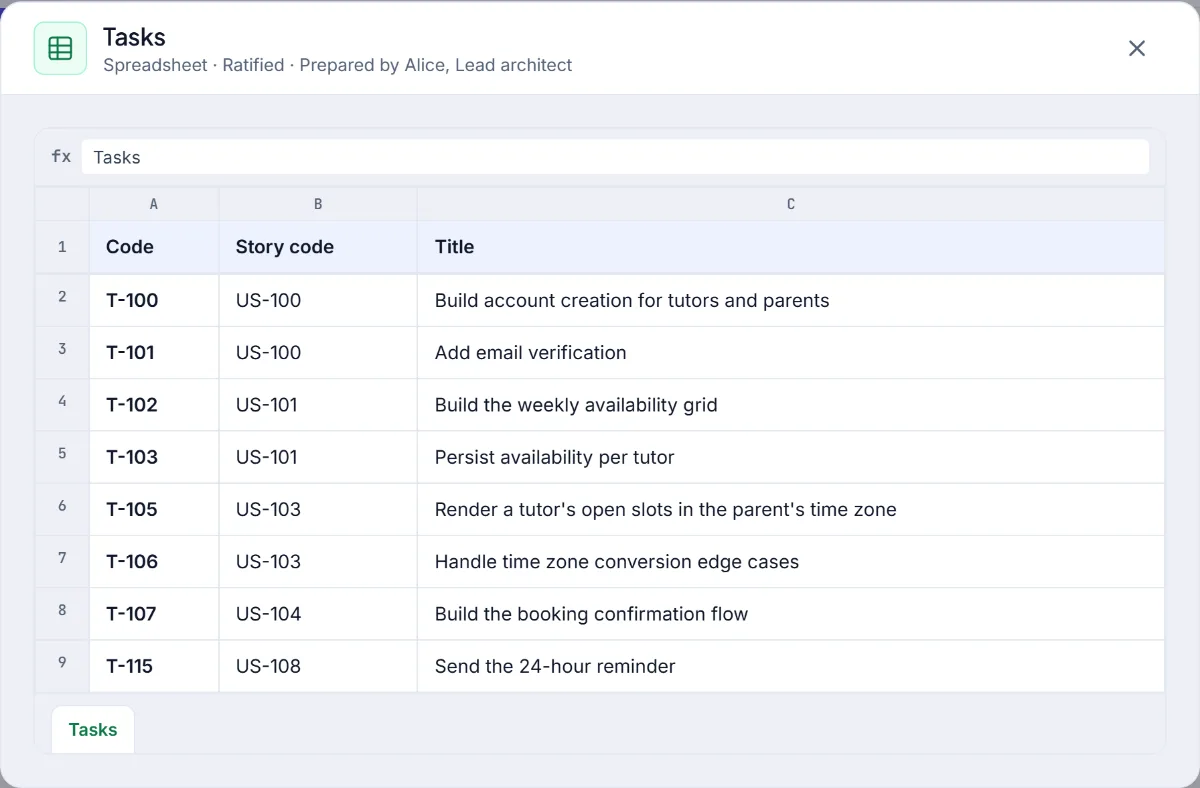
In the SBOK this is Identify Tasks. From stories to tasks explains why testing and integration belong on the list.
Step 2.4: estimate tasks
What happens. The team estimates each task in hours and checks the total against its capacity. The SBOK describes this process as optional, and the simulation includes it so you can see the check.
What you decide. Whether you confirm the estimates or ask for them to be revised.
What it produces. The task estimates, with the total compared with capacity.
Step 2.5: update the sprint backlog
What happens. The developers claim tasks and the team freezes the sprint baseline. After that, the sprint scope cannot change.
What you decide. Whether to freeze the baseline now, or to keep working on the backlog. The freeze cannot be undone.
What it produces. The sprint backlog and a burndown baseline.
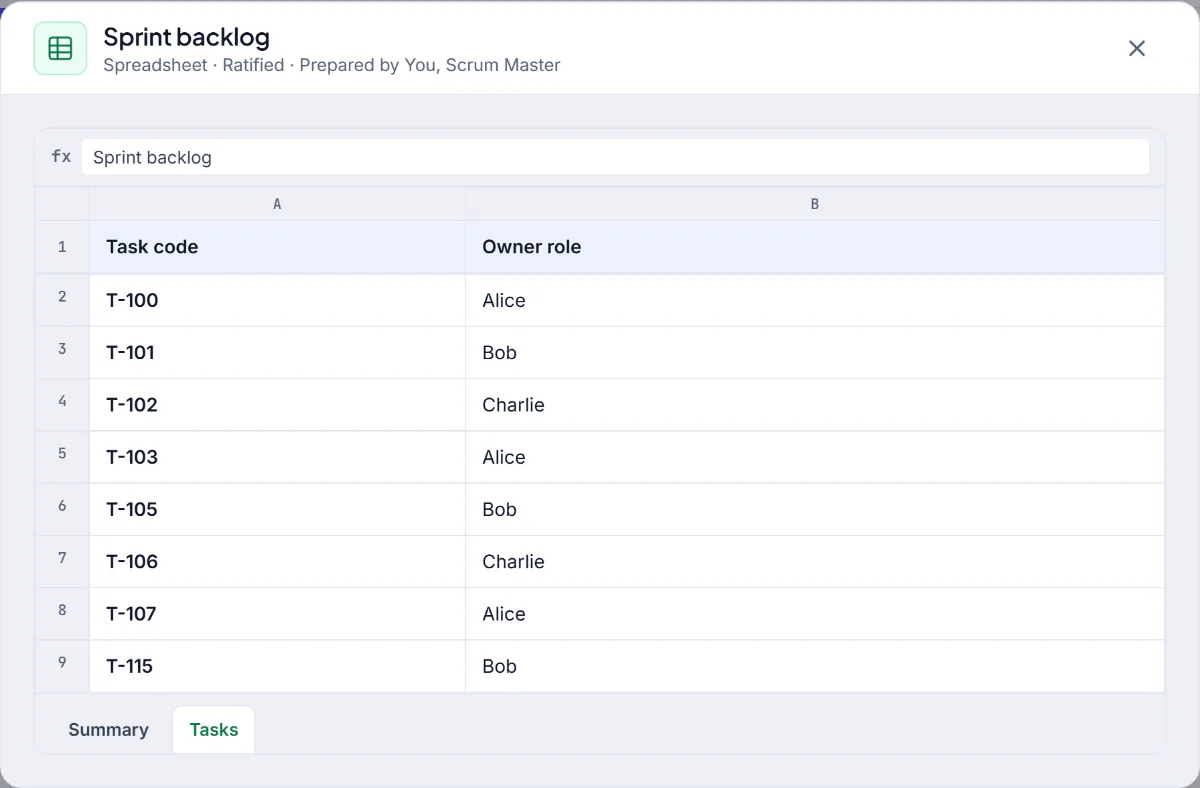
The matching process in the SBOK is Update Sprint Backlog. Our post on the Sprint Backlog covers the artifact itself.
How the roles differ here
This is the phase where the three roles feel most different. The Scrum Master runs every session and checks the stories and the numbers. The Product Owner takes part in drafting the stories and the poker, then watches while the developers break the work down, because how the work is built is not the Product Owner's decision. A Developer casts their own vote, confirms the task estimates and claims tasks. Playing it as each role is a good way to feel why Scrum divides the work this way.
What to watch for
Three things are worth noticing as you play, without any of them having a hidden answer.
- Where the numbers come from. The estimates are the developers', and the facilitator's job is to get an honest number out of the room. Notice who speaks first and who stays quiet.
- What the commitment is measured against. The team's velocity and capacity are on the screen for a reason. Look at them before you decide.
- What a clear story saves. A story with sharp acceptance criteria produces a short conversation in step 2.3. A vague one produces a long one.
The same five steps return at the start of every sprint, so what you do in the first sprint is something you can improve in the second.
What carries forward
The commitment you make in step 2.2 is judged at the end of the sprint. The tasks you identify become the board in Phase 3, and the estimates become the burndown. A team that was honest here has a calm sprint, and a team that stretched has one that explains itself at the review. The sprint length chosen at the end of Phase 1 sets how much capacity you have to work with.
Phase 2 and later phases need a Pro plan, and the pricing page has the details. Everything in the simulation is fictional.
SBOK® is a registered trademark of its owner. Scrumagic is independent and is not affiliated with the owners of SBOK®.
Nothing opened? This computer may have no email program set up. Write it in Gmail or use the copy button and paste the link into your email.