
Phase 3, Implement: the three steps, one by one
By Scrumagic Team Last reviewed 5 min read
In short
The third phase of a Scrumagic run is the sprint itself, compressed to a representative day. It has three steps: keeping the board moving, the daily standup, and refining the backlog when a change request arrives. This post walks through each: what you see, what happens, what you decide and what it produces, with no spoilers.
A real sprint lasts weeks. A simulation that made you live each day would take just as long, so Scrumagic fast-forwards to a representative day and plays out what happens there: the work in progress, the problems that surface, and the conversations that follow. The phase is short, and it is where facilitation and judgement are most visible.
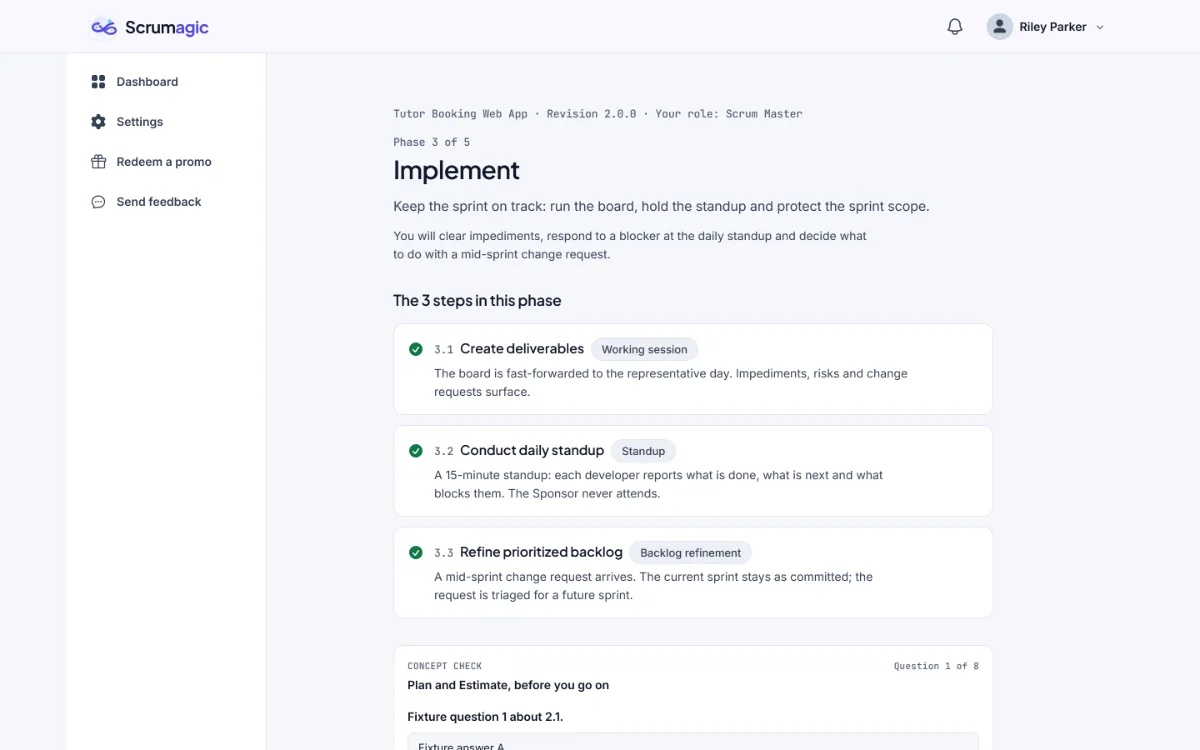
The three steps below repeat for every sprint, and the matching Scrum events are the Daily Scrum and the continuing work of keeping the Product Backlog in order. Where the SBOK® Guide, Fifth Edition, has a matching process, we name it. The Scrum Guide and the SBOK side by side explains how the two documents relate.
Step 3.1: create deliverables
What you see. The sprint backlog, the burndown baseline and a set of sprint events, which are things that happen during the sprint, such as a blocker or a change request.
What happens. The board is fast-forwarded to the representative day. The tasks have moved, some are blocked, and impediments, risks and change requests surface.
What you decide. What to do about the impediments on the board. The options run from dealing with them to leaving them to the team, and the choice is recorded.
What it produces. The sprint board, an increment so far and an impediment and risk log.
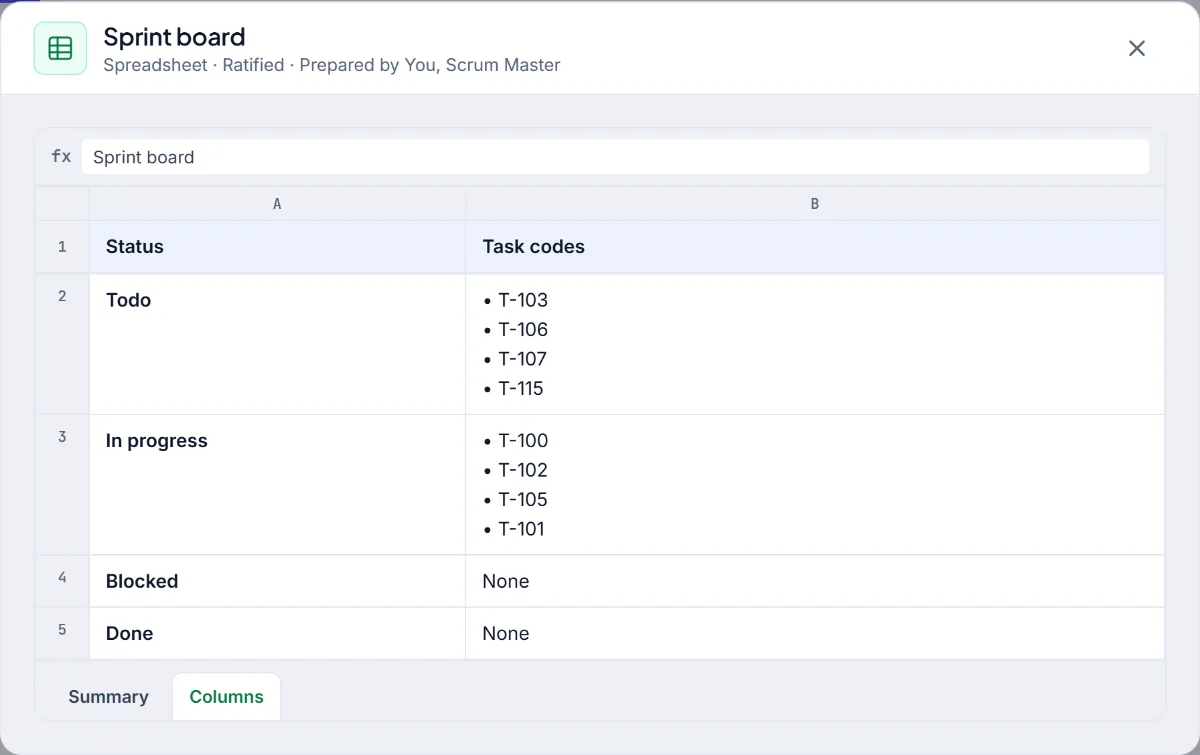
This is the SBOK's Create Deliverables process, which describes the board and the impediment log as its working tools. Impediments and the impediment log covers the practice.
Step 3.2: conduct the daily standup
What you see. The board state, the impediment log and the burndown baseline.
What happens. A fifteen-minute standup. Each developer reports what is done, what is next and what blocks them. The sponsor never attends, which is a rule the simulation keeps.
What you decide. How you respond to the blocker that was reported. There is more than one reasonable response and some unreasonable ones, and each leaves something behind for later steps.
What it produces. An updated burndown and the updated impediment log.
You will find that the standup is not where the work gets done. It is where the team learns what to do next, and what the Scrum Master does with a reported blocker is the part of the step that matters. Daily Scrum without the status-meeting trap explains the principle, and the SBOK names the step Conduct Daily Standup.
Step 3.3: refine the prioritised backlog
What you see. The prioritised backlog, the deferred backlog and a change request: a mid-sprint request from a stakeholder to add or change work.
What happens. The change request arrives, the current sprint stays as committed, and the request is triaged for a future sprint. In the Product Owner role the decision is yours.
What you decide. Where the change request belongs. Some requests, such as ones that come from a regulator, cannot simply be turned down.
What it produces. A refined backlog for the next sprint, with the current sprint left frozen.
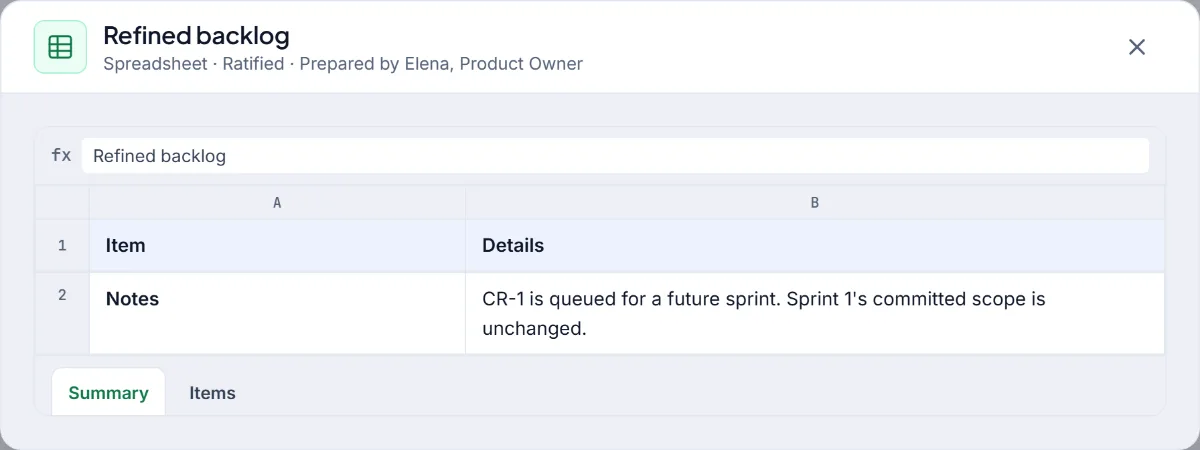
The SBOK calls this Refine Prioritized Product Backlog. Our posts on backlog refinement and change requests in the middle of a Sprint cover the ideas.
Why a representative day
A simulation that made you wait through ten working days would be tedious and would teach less. Scrumagic instead plays the sprint on one representative day, chosen to be the point where the interesting things happen: work is in progress, a blocker has appeared, a risk has surfaced and a stakeholder has asked for something. It is a compressed picture of a sprint, and the details you see on the board come from the plan you froze in Phase 2.
How the roles differ here
The Scrum Master runs the board check and the standup, and decides how to respond to what surfaces. The Product Owner follows as an observer while the team runs them, then triages the change request. A Developer works through the board, takes a place at the standup and says what is blocking them. The refinement step is the one where the Product Owner's decision matters most, and the other two roles watch it happen.
What to watch for
- The sprint is frozen. Whatever arrives, the committed sprint stays as committed. The question is where the request belongs, not whether the sprint bends.
- Small problems grow. A blocker handled on the day costs a little. The same one handled late costs more, and later steps will show it.
- The board is evidence. Read it as a developer would: which tasks have not moved, and why?
Reading the log
The impediment and risk log that this phase produces is worth reading closely when you see it. It distinguishes impediments, which are happening now, from risks, which might. The difference matters because they call for different responses: an impediment needs an owner and a date, and a risk needs a decision about whether to act. Risk in Scrum explains the distinction.
What carries forward
What you do in Phase 3 is remembered. How you handled a blocker comes up again at the retrospective. How you handled a request shows at the review. A deferred item is still on the backlog when the next sprint is planned. The phase is short, and its consequences run through the rest of the project.
Phase 3 and later phases need a Pro plan, and the pricing page has the details. Everything in the simulation is fictional.
SBOK® is a registered trademark of its owner. Scrumagic is independent and is not affiliated with the owners of SBOK®.
Nothing opened? This computer may have no email program set up. Write it in Gmail or use the copy button and paste the link into your email.